
Exchange Order Management - How to Process Exchange Orders ?
Providing replacement products can be a time-consuming task. However, after reading the information given below one can effortlessly manage exchange orders with the help of Indian Logistics Services app.
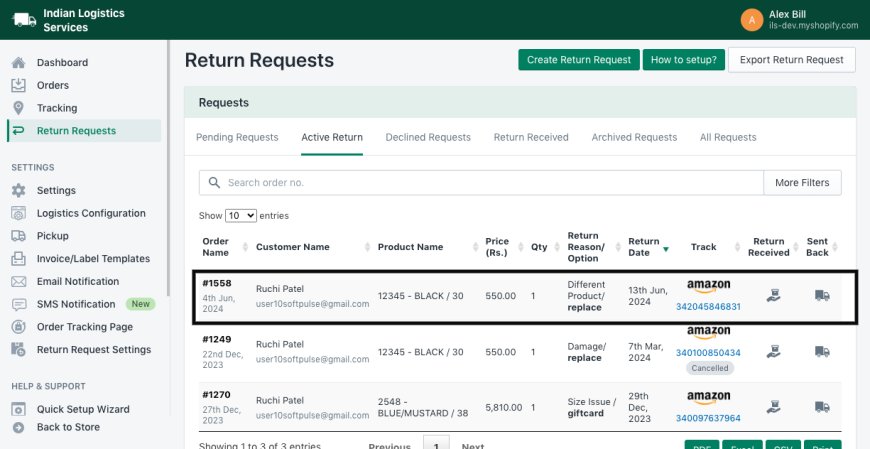
For providing exchange you need to go to Active/Return Received return tab and from there follow given below steps,
- Click on Return Request
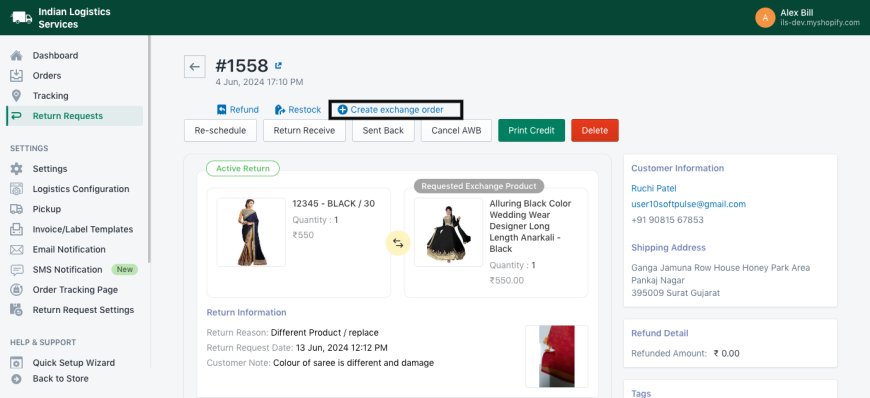
- Go to Create Replace Order button
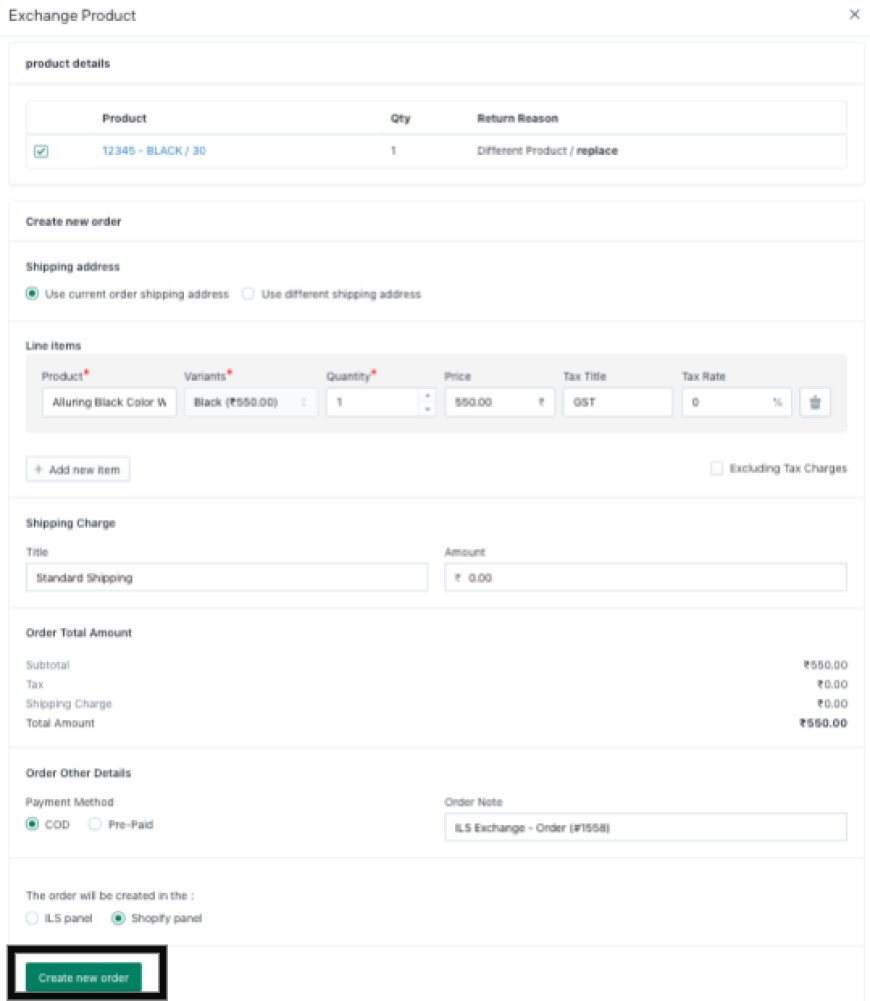
- Select options according to your preference and click on Create new order button
- You can also see return order name beside product image
