
Return & Exchange Settings
Let's see all the Customization Options we can do in the Return Request Settings
1. Appearance
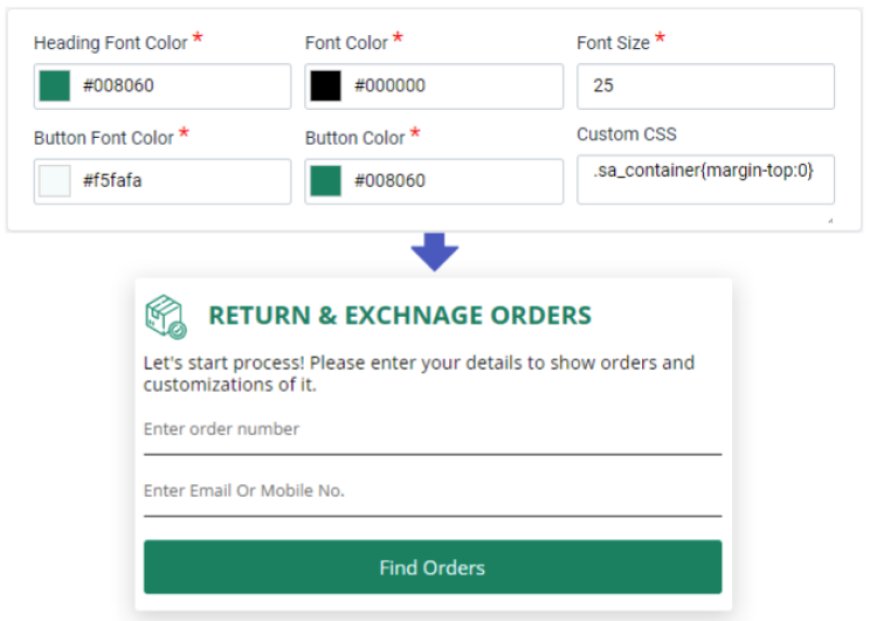
- In this Tab you can Customize Theme or Appearance of Login & Return Page
- You can change the Font Color, Heading Font Color, Button Color, Button Font Color, Font Size & also Add Custom CSS
- You can also customize your BreadCrumbs Text
2. Login Page
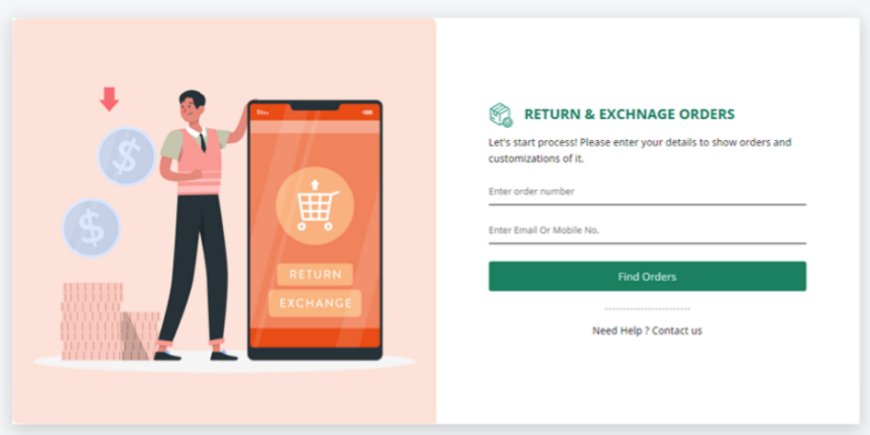
- Heading
- Here you can Customize everything related to Customer's Login Page
- Banner Image
- You can also add a Banner Image on the Login Page to Promote your Store Products & Sales and make it more Attractive
- You can also define the Banner Position to Left, Right or in the Background
- Image must be in PNG, JPG or JPEG format with min. resolution of 1000x1000 px & it should be Square in shape.
3. Order Page
-
- Here you can customize all the fields visible on Order Page
4. Return Page
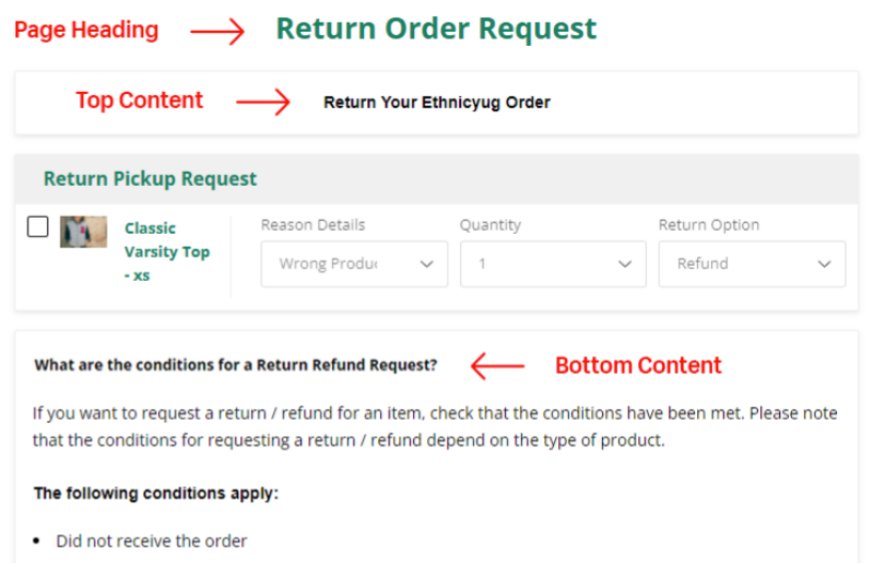
- Return Details-
- Here you can customize all the things visible on Return Page
- Top Content
- You can Add & Format any Pre-defined Conditions in the Top of your Return Page after Heading by enabling this option.
- Bottom Content
- You can Add & Format any Privacy Policy in the Bottom of your Return Page by enabling this option.
5. Return Reasons / Options
- Return Reasons
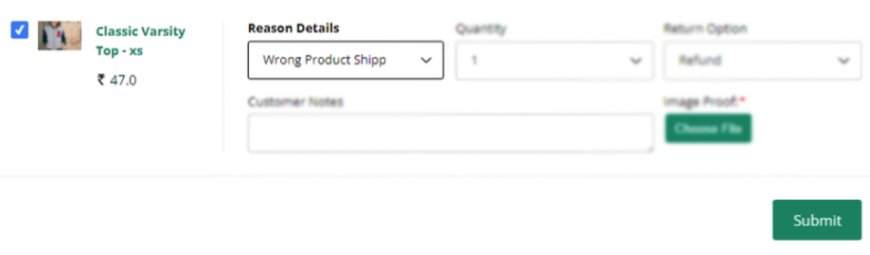
- You can Add & Delete multiple Possible Return Reasons here for Customers to Select from on the Return Page
- Return Options
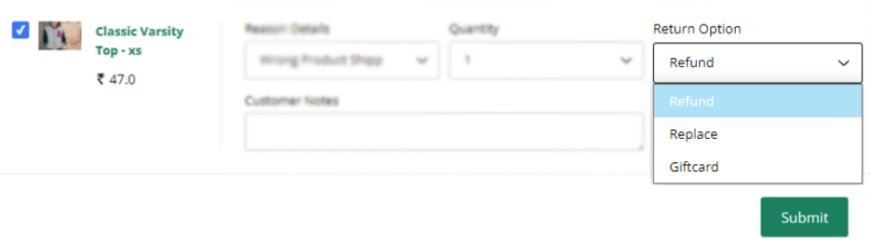
- You can Enable or Disable diff. Return Options for Customers from Replace, Giftcard & Refund & Customize the Text representing each of them.
- There are 4 predefined Refund mode Options Store Credit, Bank Transfer, Original Payment Mode & Others which you can enable & disable for Customers on the Return Page
- For Others Mode a Textbox is visible on Return Page where Customer can enter their Payment Information so you can also customize its Placeholder text from here
- Exchange Summary
- You can define any Instructions regarding Exchange Options for Customers here, e.g. Free of Charge
6. Eligibility
- Return Period window
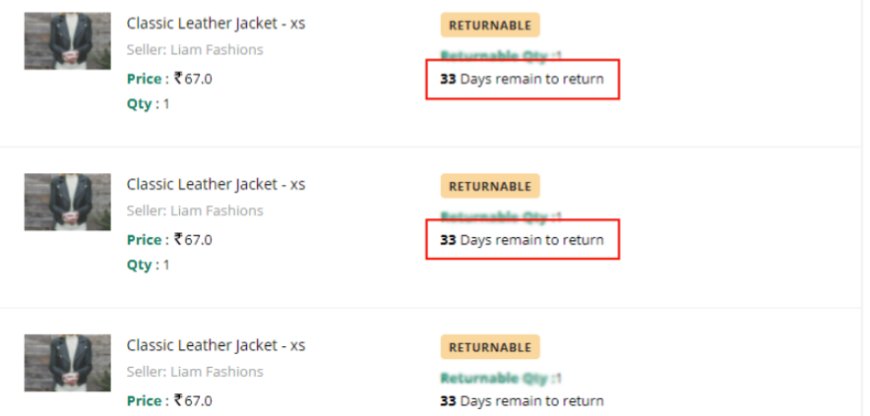
- You can define the no. of Days till which Order is Eligible for Return
- Return days Count from
- You can define from which date Return Period Window starts
- There are 3 Options
- Order Created Date
- Order Fulfillment Date
- Order Delivery Date
- Note- If you select Order Delivery Date Option & the order is not shipped through our app, the order fulfillment date will be considered.
- Allow Partial Return

- You can allow Customer to Create Partial Order Return request i.e. of only some items out of Total of any Order.
- Add Tags to Restrict Order Return Request
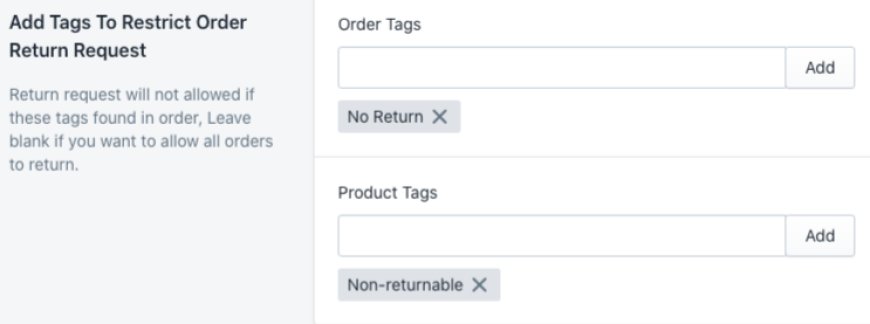
- You can add Order &Product Tag names, so all the Orders & Products containing those Tags will not be allowed for Return.
- Add Date to Restrict Order Return Request
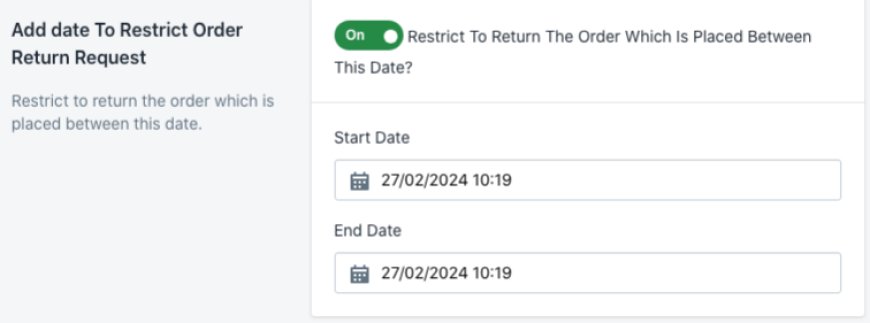
- You can restrict Return of Orders Placed between any 2 Dates by adding their Start & End Date
- Product Exchange Settings
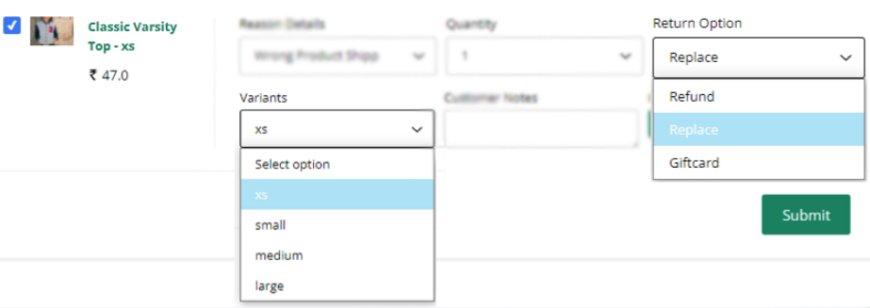
- You can Restrict Customers in Case of Product Selection for Replacement.
- There are 3 Options
- Allow Replacement with Other Product
- Customer can select any other Product
- Allow replacement exact with same item only
- Allow customers to choose other available variants
- Customer can select only other Variants of that Product
- Allow Replacement with Other Product
- You can also Hide Out-of-Stock Variants
- Same Price Product / Variant Exchange
- You can Restrict the Customer to be able to Select only Products & Variants of Same Price as of the Return Product
- Customer Note
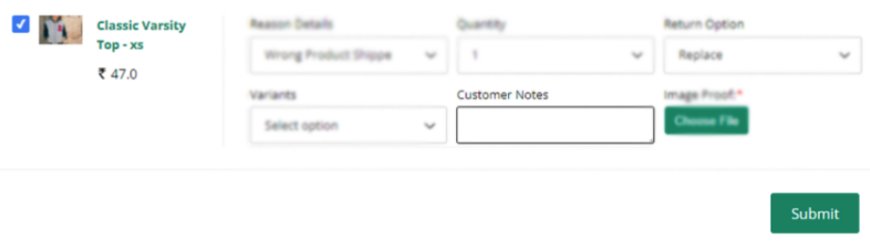
- You can allow Customer to add extra details about Return
- Upload Proof Image

- You can allow Customer to Upload Image of Return Product during Return so that you can get a better Idea about further Action
- Declined Request Allow to Return
- You can allow Customer to Reattempt Return Request after Declination of the Previous one
- Settings for Return status update in Shopify
- You can enable/disable Return Status update in Shopify Orders.
- Date and Time Format
- Here you can set the Date & Time format of Orders visible on the Order Page
7. Messages
-
- Here you can set Feedback & Error messages for different events on Login & Order Listing Page